Hugging Face 讲解如何用 Gradio 在 Spaces 上展示模型演示
Showcase Your Projects in Spaces using Gradio
Hugging Face 发布教程,讲解如何用 Gradio 在 Spaces 上托管机器学习演示应用。
官方教程给出几行代码即可在 Spaces 上托管模型演示的具体做法,还展示了用 Gradio Series 串联多个模型的组合方式。
得益于 Gradio,展示机器学习项目变得如此简单。
在这篇博客文章中,我们将带你了解:
- 最近的 Gradio 集成,它借助 Inference API,让你只需几行代码就能无缝演示 Hub 中的模型。
- 如何使用 Hugging Face Spaces 托管你自己模型的演示。
Gradio 中的 Hugging Face Hub 集成
你可以轻松地在 Hub 中演示你的模型。你只需定义 Interface,其中包括:
- 你想要进行推理的模型的仓库 ID
- 描述和标题
- 用于引导观众的示例输入
定义好 Interface 后,只需调用 .launch(),你的演示就会开始运行。你可以在 Colab 中完成这一操作,但如果你想与社区分享,一个很好的选择是使用 Spaces!
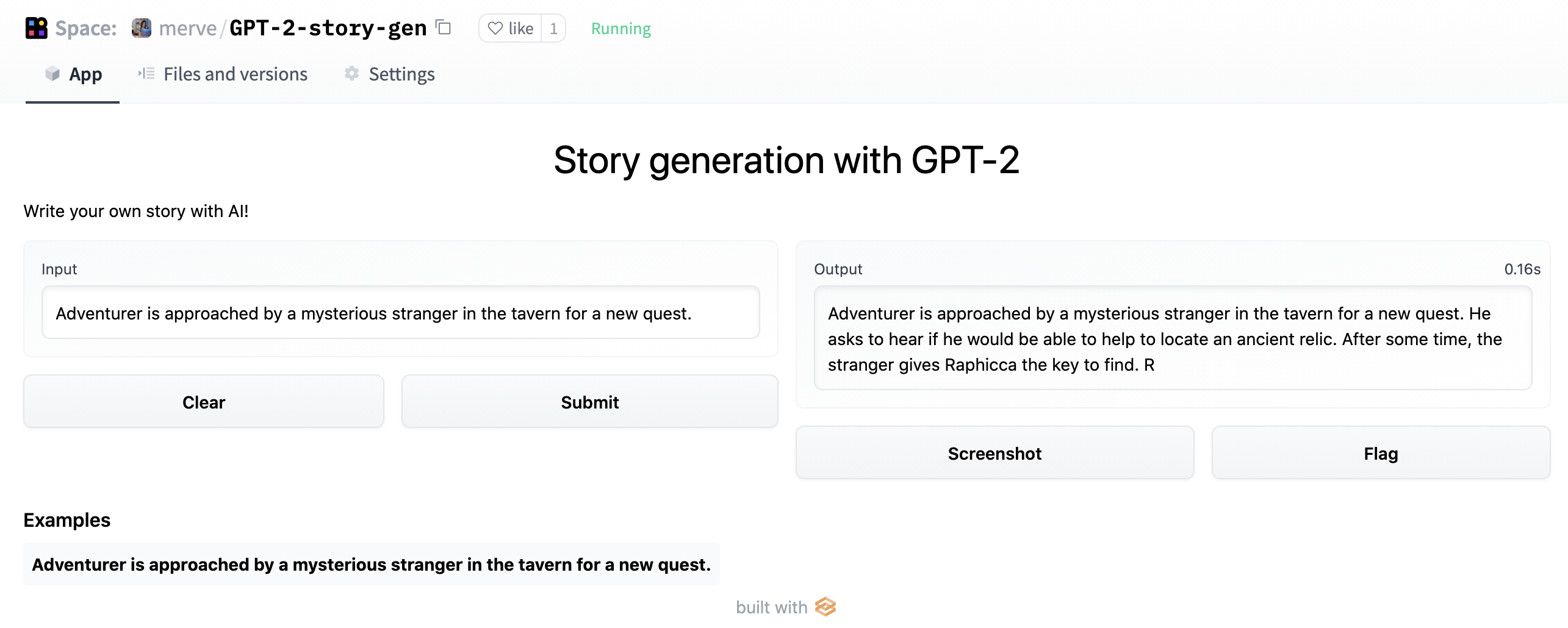
Spaces 是一种简单、免费的方式,可以用 Python 托管你的机器学习演示应用。为此,你可以在 https://huggingface.co/new-space 创建一个仓库,并选择 Gradio 作为 SDK。完成后,你可以创建一个名为 app.py 的文件,复制下面的代码,你的应用将在几秒钟内启动并运行!
import gradio as gr

description = "Story generation with GPT-2"
title = "Generate your own story"
examples = [["Adventurer is approached by a mysterious stranger in the tavern for a new quest."]]

interface = gr.Interface.load("huggingface/pranavpsv/gpt2-genre-story-generator",
            description=description,
            examples=examples
)

interface.launch()
你可以在这里体验故事生成模型
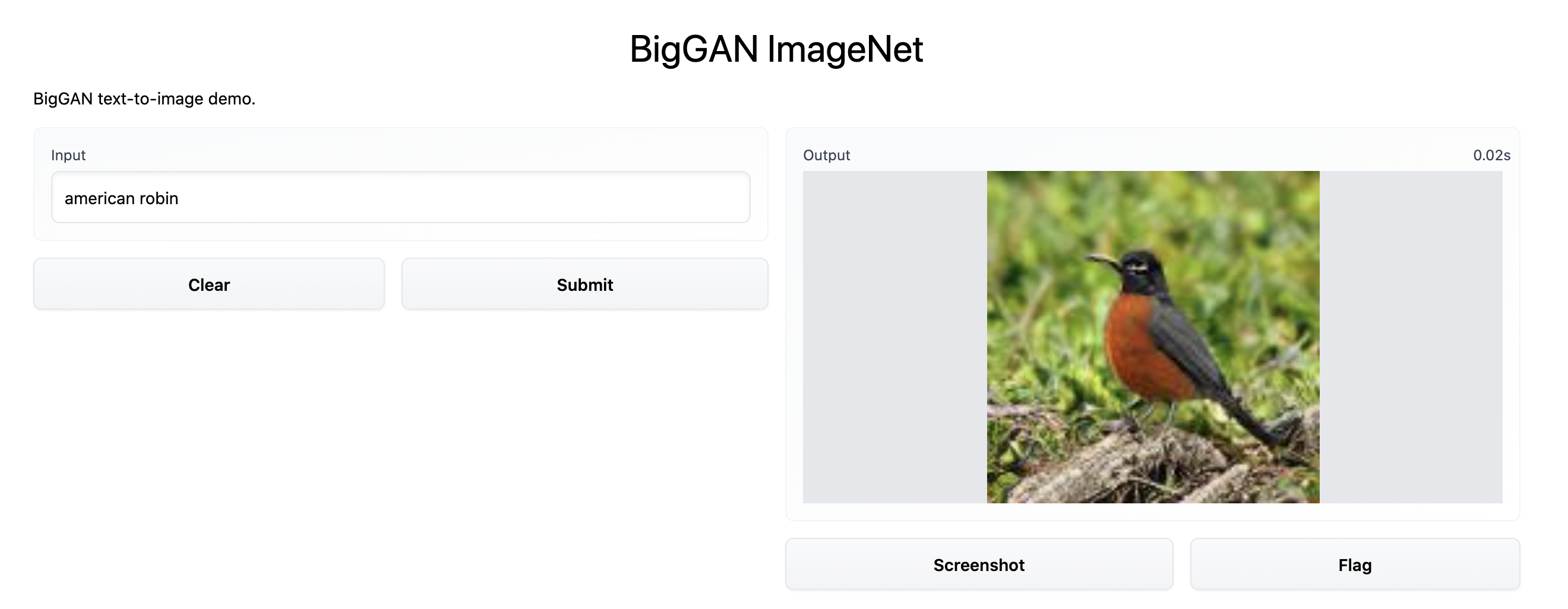
在底层,Gradio 调用 Inference API,它支持 Transformers 以及 spaCy、SpeechBrain 和 Asteroid 等其他流行的机器学习框架。此集成支持不同类型的模型,image-to-text、speech-to-text、text-to-speech 等等。你可以在这里查看这个 BigGAN ImageNet text-to-image 模型示例。实现如下。
import gradio as gr
description = "BigGAN text-to-image demo."
title = "BigGAN ImageNet"
interface = gr.Interface.load("huggingface/osanseviero/BigGAN-deep-128",
            description=description,
            title = title,
            examples=[["american robin"]]
)
interface.launch()
在 Hugging Face Spaces 中使用 Gradio 提供自定义模型检查点服务
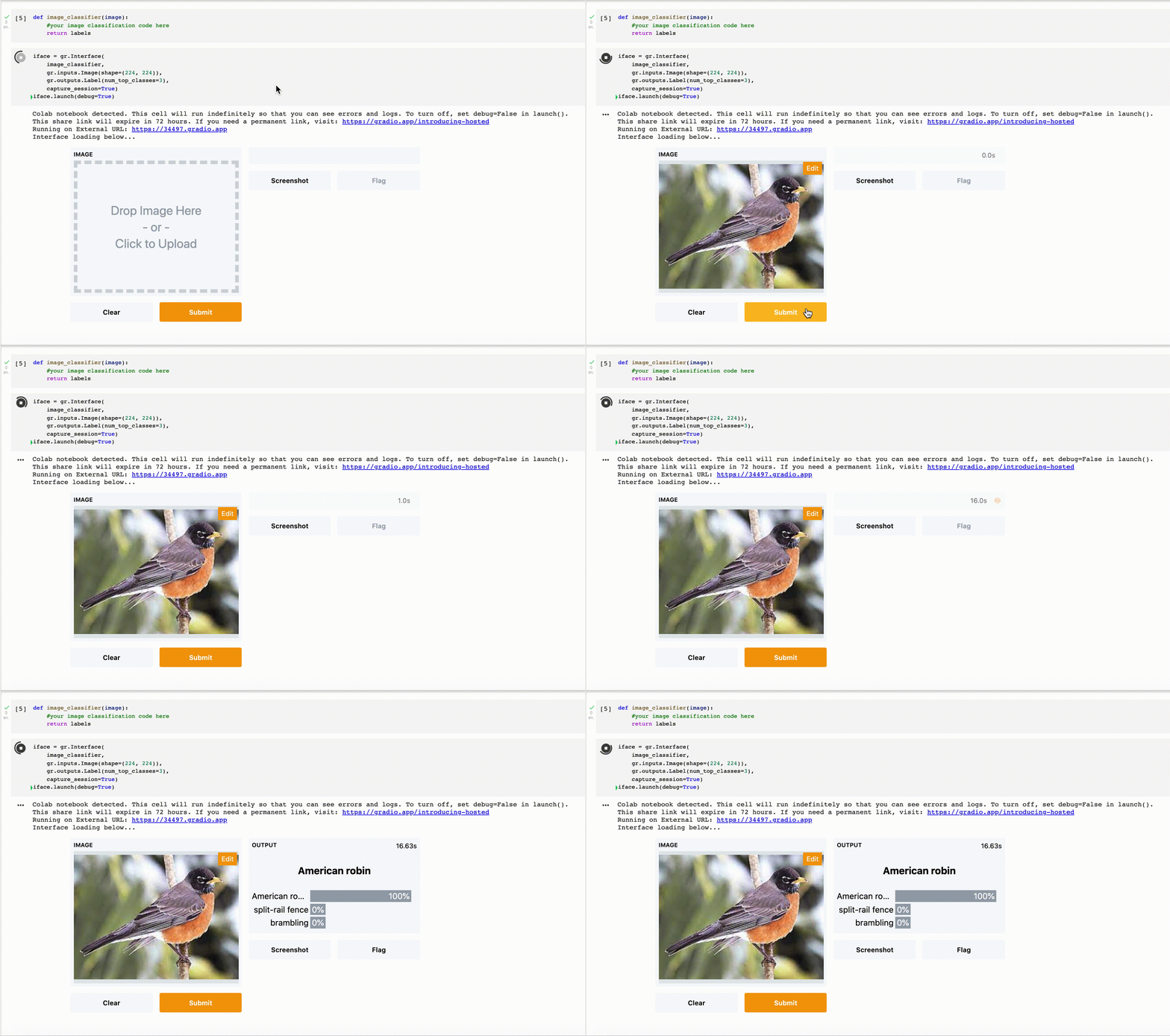
即使 Inference API 不支持你的模型,你也可以在 Spaces 中提供你的模型服务。只需按照下面的说明,将你的模型推理封装在 Gradio Interface 中,并将其放入 Spaces。
混合搭配模型!
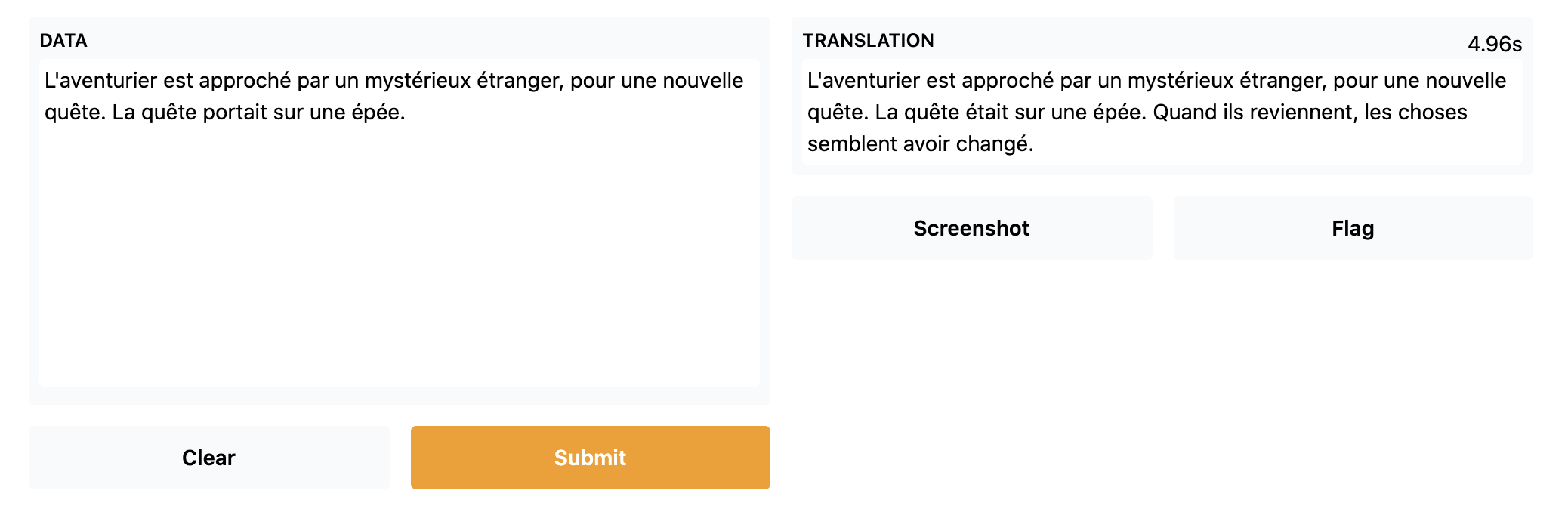
使用 Gradio Series,你可以混合搭配不同的模型!在这里,我们在故事生成器之上放置了一个法语到英语的翻译模型,并在生成器模型末尾放置了一个英语到法语的翻译模型,从而简单地制作出一个法语故事生成器。
import gradio as gr
from gradio.mix import Series

description = "Generate your own D&D story!"
title = "French Story Generator using Opus MT and GPT-2"
translator_fr = gr.Interface.load("huggingface/Helsinki-NLP/opus-mt-fr-en")
story_gen = gr.Interface.load("huggingface/pranavpsv/gpt2-genre-story-generator")
translator_en = gr.Interface.load("huggingface/Helsinki-NLP/opus-mt-en-fr")
examples = [["L'aventurier est approché par un mystérieux étranger, pour une nouvelle quête."]]

Series(translator_fr, story_gen, translator_en, description = description,
        title = title,
        examples=examples, inputs = gr.inputs.Textbox(lines = 10)).launch()
你可以在这里查看法语故事生成器
将你的模型上传到 Spaces
得益于 Spaces,你可以在 Hugging Face 中提供你的演示服务!为此,只需创建一个新的 Space,然后拖放你的演示,或使用 Git。
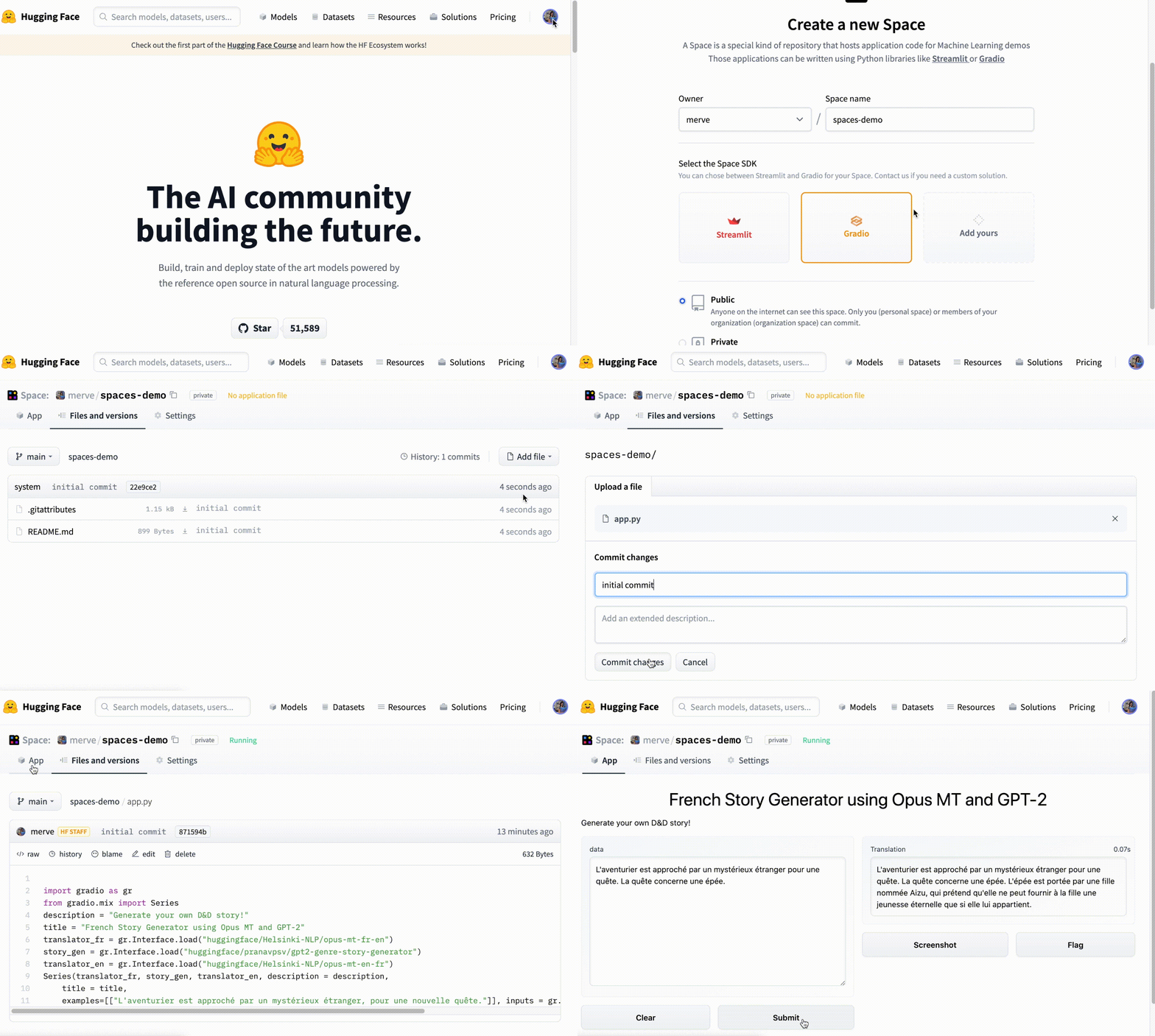
在这里使用 Spaces 轻松构建你的第一个演示!
来源:Hugging Face:Blog(RSS) · huggingface.co